
— 404 —
🤔 This page is missing.
Sorry about that! People want these websites so much that sometimes my pages go missing.
What were you looking for?
Recent Articles:

Learn how to turn the inset border on a Squarespace section into a blurred image frame using just 6 lines of custom CSS. Step-by-step tutorial with a code generator.

Create a vertical scrolling testimonial carousel to any Squarespace site. Includes a live code generator where you can type in your own reviews, customize colors, speed, and card styles, and copy the finished code in one click.
Uploaded a video to Squarespace but can't find a way to download it back? Here's a quick workaround to retrieve your hosted video files when the download button is missing.

Learn how to add quizes, polls, and surveys to your Squarespace website without code using Opinion Stage. A free tool to turn quizes and polls into lead generators.

Create anchor links in Squarespace 7.1 without coding! Learn to make smooth scrolling internal links for same-page navigation, links to other pages, and SEO-friendly anchor links. Get solutions for unsupported sections too.

A complete guide to the 2026 Squarespace Circle program changes, including how to qualify for Gold and Platinum status, earn points, and unlock exclusive discounts.
Code Shop Features:

The Squarespace secondary navigation plugin uses footer blocks to create a secondary navigation on top of the default Squarespace navigation where you can add additional links and buttons. This navigation will also display your links and buttons seamlessly on your mobile menu. Take your Squarespace website to the next level with this simple customization.
Live Demo
One purchase gives you lifetime access to a secret, password-protected page with all the instructions and code you need to implement this modification.
Plugin Requirements
Works only with Squarespace 7.1 and Fluid Engine.
Requires Business Plan or Higher
Uses Footer Blocks, CSS Editor, and Code Injection
Plugin Install Guide and video tutorial included.

This easy-to-use Squarespace plugin modifies the cursor and gives your website a sleek, modern edge. Use this to add a subtle uniqueness that makes your websites look less like a standard template.
A one-time purchase gives you lifetime access to a secret, password-protected page with all the instructions and code you need to implement this modification.
Live Demo ➔
Compatible with Squarespace
7.0 & 7.1
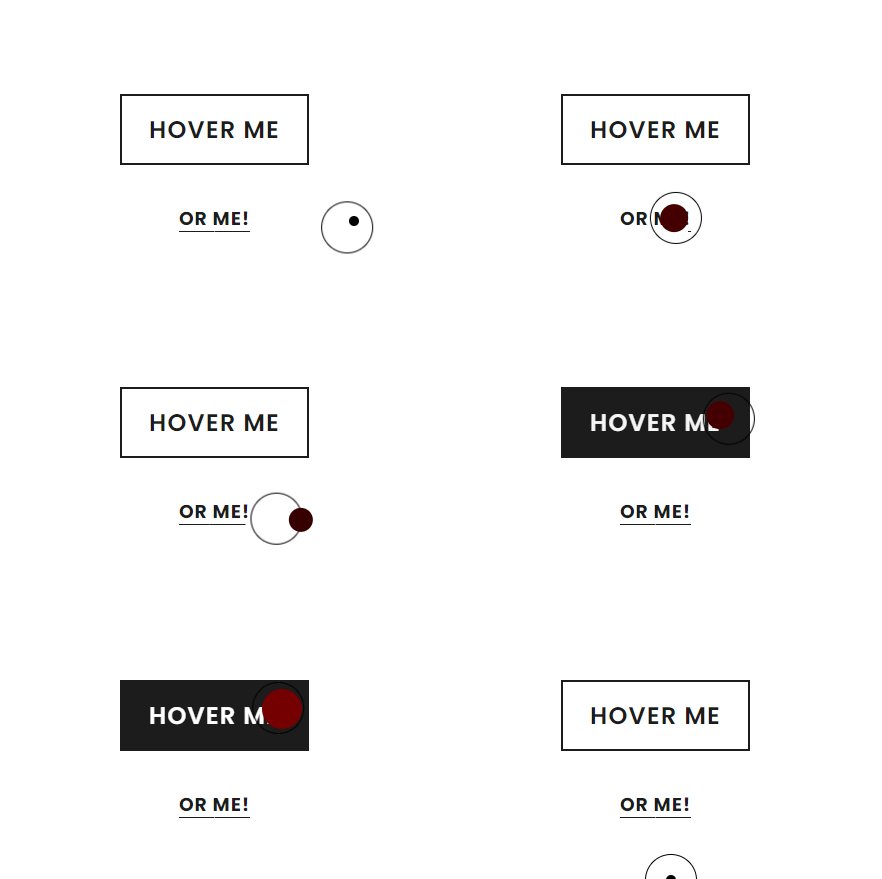
An alternate version of the Expanding Dot Custom Cursor.
This easy-to-use Squarespace plugin modifies the cursor and gives your website a sleek, modern edge. Use this to add a subtle uniqueness that makes your websites look less like a standard template.
A one-time purchase gives you lifetime access to a secret, password-protected page with all the instructions and code you need to implement this modification.
Live Demo ➔
Compatible with Squarespace
7.1 & Fluid Engine - Requires Business Plan or higher

Turn your navigation into a sleek photo menu.
The Aria Photo Menu allows you to turn your default Squarespace navigation into a photo menu that adds an elegant and refined touch to your Squarespace website on both desktop and mobile.
VIEW DEMO ➔
Plugin Requirements
1- Requires Business Plan or higher.
2- Uses Classic Footer Block. The plugin will work on Fluid Engine but the footer block that we build the photos on must be a classic editor block.
3- Uses CSS Editor.
4- Uses Header and Footer Injection.
5- A maximum of 5 photos can be added to the menu.
Customizable Options
1- Hamburger menu icon. Aria can use any of the default Squarespace hamburger menu icons.
2- Hamburger icon Color.
3- Menu close button icon color.
4- Image title color.
5- Image title hover color.

This easy-to-use Squarespace plugin allows you to convert links on an index gallery slide into a button. It’s highly customizable, so you you can match the button exactly to the style of your website. The instructions will tell you exactly what to change to customize:
button color
text color
button border style
button rounding
hover styles
One purchase gives you lifetime access to a secret, password-protected page with all the instructions and code you need to implement this modification.
Upgrade Your Squarespace Navigation with a Full-Width Dropdown Menu
Tired of Squarespace’s default dropdown folder menus? The Full-Width Dropdown Menu for Squarespace is a great way to organize your Squarespace folder content in a dropdown panel that appears on hover below your sites header, creating a modern experience with smooth animations and automatic closing on scroll. This plugin ensures a professional and user-friendly browsing experience without requiring any coding.
Why Choose The Squarespace Full-Width Dropdown Menu Plugin?
🔹 Smooth Animation – The dropdown opens seamlessly with a polished sliding effect.
🔹 Auto-Close on Scroll – Enhances user experience by automatically closing when scrolling.
🔹 Matches Your Site’s Design – Adapts to your existing Squarespace 7.1 header styles for a cohesive look.
🔹 Fully Customizable – Easily tweak colors, spacing, and animations to fit your brand.
🔹 No Coding Required – Simple installation with step-by-step video tutorial included.
Easy Setup – No Coding Required
Installing the Full-Width Dropdown Menu Plugin for Squarespace is effortless. Simply copy and paste the provided code into your site, and you’re good to go! Plus, you’ll get access to a detailed video tutorial guiding you step by step.
VIEW DEMO ➔
Plugin Requirements
Does not work with fixed header.
Works on Squarespace 7.1 and Fluid Engine.
Requires Business/Core Plan or higher.
Uses Header Injection and CSS Editor.